Skill Provenance
Portable provenance, integrity, and drift control for Agent Skills.
Agent Skills move between local folders, registries, platform uploads, and multi-agent sessions. Source refs, registry versions, and platform APIs each help, but they do not track the actual multi-file bundle an agent is editing. This skill keeps provenance inside the bundle where it belongs.
In a public registry-diff history recomputed here and confirmed by its observer on 2026-09-13, 66 of 1,210 Agent Skill instruction changes, or 5.5 percent, had no version movement. A version label alone does not show whether the bytes changed, so the digest is load-bearing while semver remains the release label. Read the evidence boundary.
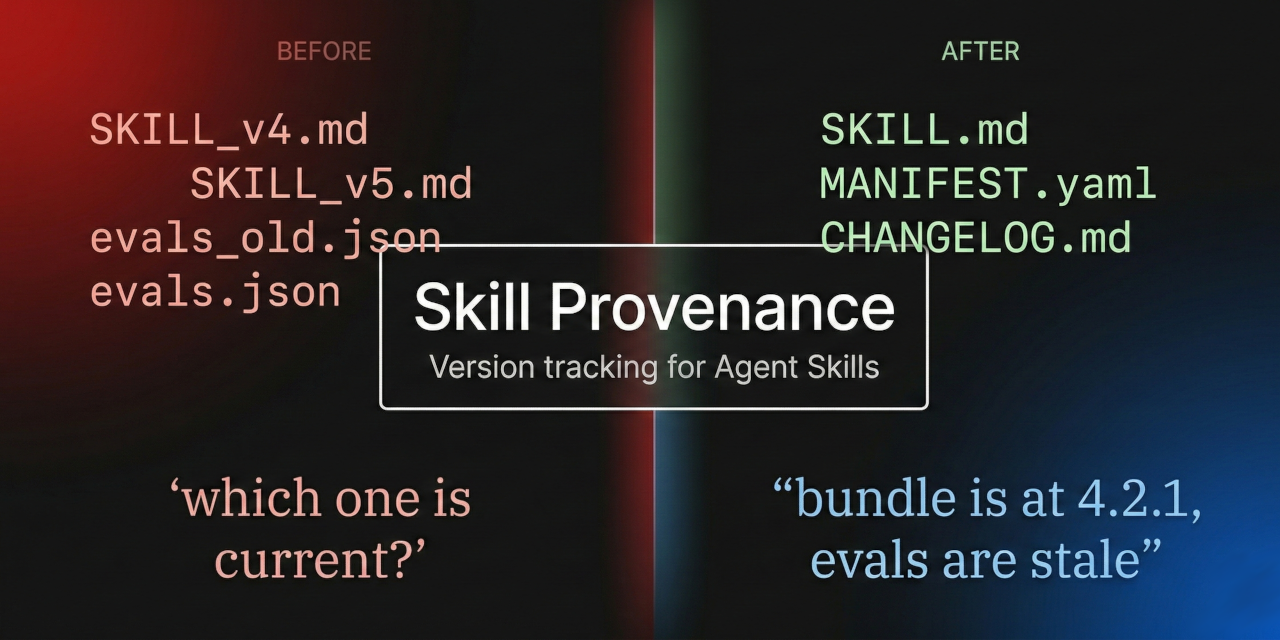
Before
SKILL_v4.md
SKILL_v5.md
evals_old.json
evals.json

"which one is current?"
After
SKILL.md
MANIFEST.yaml
CHANGELOG.md

"bundle is at 4.8.0, evals are stale"
Version Identity
Semver bundle versions and per-file revision counters live inside the files and manifest, not in filenames.
Staleness Detection
When SKILL.md changes but evals.json doesn't, the changelog says so. Drift becomes visible, not silent.
Hash Verification
SHA-256 hashes in the manifest let any session verify that files match their recorded state.
Why this still exists
Skills are the unit of reuse in the agent ecosystem. Most tools track source, registry, install, or deployment state. Skill Provenance tracks the actual multi-file bundle an agent is editing, which matters when SKILL.md, evals, scripts, packages, and deployed copies can drift independently.
Cross-session
Chat sessions are stateless. Without a manifest, the next session has no idea what version it received or whether files are complete.
Cross-surface
A skill authored in Claude Code, exported as a .skill ZIP, and installed via Settings UI needs version identity that survives the round trip.
Cross-platform
The same skill running on Claude, Codex, Gemini CLI, and Copilot. Each platform has different frontmatter rules. The manifest stays consistent.
Trust and audit
Downloaded bundles, shared org installs, registry packages. Hashes and changelogs give agents and humans an audit trail before executing unfamiliar skills.
| Approach | Versions | Staleness | Cross-session | Cross-platform |
|---|---|---|---|---|
| GitHub gh skill | Source/ref/tree | No | Repo-bound | Partial |
| ClawHub / registries | Registry versions | No | Consumer package | Partial |
| Skills API | Platform versions | No | Single surface | No |
| Skillman | Pinned installs | No | Consumer-side | No |
| Skill Provenance | Semver | Yes | Yes | Yes |
Quick start
Verify the public bundle when appropriate, install the skill, then tell the agent to use it.
Verify before install
https://skillprovenance.dev/.well-known/assistant-guide.txt
This GuideCheck assistant guide fetches the public repo and runs the manifest integrity check. It does not install the skill.
No-plugin local verification
Literal
curl -fsSLo /tmp/skill-provenance-verify.sh https://skillprovenance.dev/verify.sh
sed -n '1,220p' /tmp/skill-provenance-verify.sh
Replace TARGET_SKILL_DIRECTORY with the local bundle directory. Customize
bash /tmp/skill-provenance-verify.sh TARGET_SKILL_DIRECTORY
The wrapper delegates to the canonical validator only after its pinned SHA-256 matches. For an unversioned bundle, use the portable bootstrap prompt in the repository's standalone-verification reference.
Claude Code (Plugin)
/plugin marketplace add snapsynapse/skill-provenance
/plugin install skill-provenance@snapsynapse-skill-provenance
Commands: /skill-provenance:open, /skill-provenance:validate, /skill-provenance:close, /skill-provenance:handoff, /skill-provenance:bootstrap
Claude (Settings UI)
1. Download skill-provenance.skill from the stable v7.0.0 bundle release
2. claude.ai → Profile → Settings → Skills → Add Skill
3. Select the file
If your loader only accepts .zip, rename the file. The archive contents stay the same. Bundle releases use vX.Y.Z tags; GuideCheck releases use guidecheck-X.Y.Z tags. Use the exact bundle release because a provider's generic latest label can select the other tag family.
ClawHub
openclaw skills install @snapsynapse/skill-provenance
GitHub CLI for Codex
gh skill preview snapsynapse/skill-provenance skill-provenance@v7.0.0
gh skill install snapsynapse/skill-provenance skill-provenance@v7.0.0 --agent codex --scope user
These commands preview and install the current stable immutable v7.0.0 bundle release, not the separately versioned GuideCheck release.
Gemini CLI
git clone https://github.com/snapsynapse/skill-provenance.git
./skill-provenance/package.sh strict
cp -r build/strict/skill-provenance ~/.gemini/skills/
Manual (any platform)
Copy the skill-provenance/ directory into your project.
Or use .agents/skills/ for the neutral cross-client path.
Then tell the agent:
"Use the skill-provenance skill to bootstrap this bundle."
Compatible with the agentskills.io open standard (30+ adopters).